
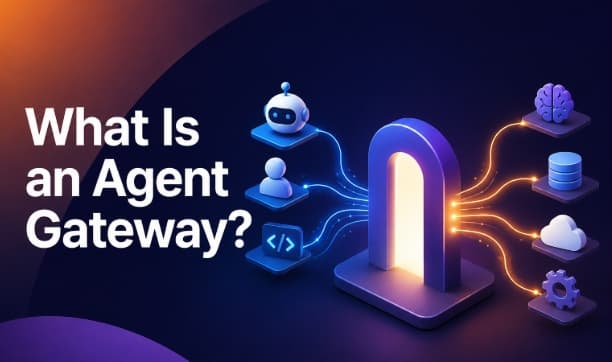
Agent Gateway: How It Connects AI Agents to Models and Tools
Modern AI applications rarely depend on a single language model or tool. A single request might involve retrieving data from a database, calling an API, searching internal documents, and generating a response with a language model. Managing these connections individually becomes difficult as applications grow.
While an API gateway manages requests between applications and services, an agent gateway coordinates interactions with language models and external tools through a centralized layer. This reduces integration complexity and provides a consistent way to manage requests across multiple systems.
This article explains how an agent gateway works, why organizations use one, and how it simplifies communication between AI agents, models, and external systems.
What Is an Agent Gateway?

An agent gateway is a middleware layer that manages how AI agents connect to language models, APIs, databases, and other external tools. It handles request routing, authentication, security, and monitoring through a single access point.
Its primary functions include:
- Routing requests to the appropriate language model
- Connecting to APIs, databases, and business applications
- Enforcing authentication and access controls
- Logging requests for monitoring and auditing
- Applying rate limits and usage policies
- Supporting failover when a service is unavailable
By centralizing these functions, it reduces integration complexity and makes AI applications easier to scale, secure, and maintain.
Why AI Agents Need an Agent Gateway
As organizations deploy more intelligent applications, the number of integrations grows quickly. One agent might connect to a customer database, while another retrieves financial records or interacts with cloud storage. Without a gateway, every connection must be managed separately.
Direct Integrations Become Difficult to Maintain
Suppose five AI agents each connect to five different services. Every integration requires its own authentication, error handling, logging, and security rules. As new services are added, the number of connections increases rapidly. Updating each integration separately consumes development time and introduces more opportunities for errors. Similar to how an API gateway centralizes API traffic, an agent gateway centralizes communication between intelligent applications, language models, and external services. This simplifies integration and provides a consistent way to manage requests across the entire system.
Supporting Multiple AI Models
Many organizations no longer depend on a single language model. Different workloads often require different strengths.
For example:
- A customer support assistant might prioritize speed.
- A coding assistant might require stronger reasoning.
- A document analysis workflow might favor a model with a larger context window.
Instead of hardcoding each choice, the gateway uses model routing to direct requests to the most appropriate service based on predefined rules.
Improving Security
Every external connection introduces security risks. Managing credentials separately across dozens of services increases the likelihood of misconfigurations. A centralized gateway stores credentials securely and applies consistent access policies before requests leave the system.This reduces duplicate authentication logic across applications.
Better Monitoring
Monitoring becomes easier when requests pass through one location.
Teams gain visibility into:
- Response times
- Failed requests
- Tool usage
- Request volume
- Operational costs
This information helps improve performance while reducing unnecessary spending.
How an Agent Gateway Works

Although implementations differ, most gateways follow the same workflow.
Step 1. The User Sends a Request
A user asks an application to complete a task. For example:
- "Summarize last month's sales and email the report."
The application forwards this request to an AI agent.
Step 2. The Agent Creates a Plan
The agent determines what information it needs.
It might identify several actions:
- Retrieve sales records
- Analyze the data
- Generate a summary
- Send an email
Rather than connecting directly to every service, the agent forwards these requests through the gateway.
Step 3. The Gateway Validates the Request
Before processing begins, the gateway verifies:
- Identity
- Access permissions
- Organizational policies
- Usage limits
Unauthorized requests are rejected before reaching external systems.
Step 4. The Gateway Performs Model Routing
Next, the gateway selects the most suitable language model. Routing decisions
may depend on factors such as:
- Cost
- Speed
- Availability
- Required reasoning capability
- Context length
If the preferred service becomes unavailable, the gateway redirects traffic to another supported model without requiring application changes.
Step 5. The Gateway Connects Required Tools
Many tasks require information beyond what a language model already knows.
The gateway connects the agent to external resources such as:
- Databases
- Search engines
- Internal APIs
- CRM platforms
- File storage
- Business applications
Each connection follows the organization's security and governance policies.
Step 6. Results Return to the Agent
After gathering information and completing any required processing, the gateway returns the responses to the requesting agent. The agent combines the results into a final answer for the user. Throughout this process, the gateway records activity for monitoring and troubleshooting.
How Agent Gateways Connect to AI Models
Large language models differ in speed, pricing, context size, and reasoning ability. Selecting the right one for every request improves both performance and cost efficiency. Instead of forcing developers to update application code whenever a model changes, an agent gateway handles these decisions centrally.
For example, a company might configure routing rules such as:
- Use a fast model for customer support conversations.
- Use a reasoning-focused model for financial analysis.
- Use a lower-cost model for internal document summaries.
- Switch to a backup provider if the primary service becomes unavailable.
This approach separates application logic from infrastructure decisions. As organizations adopt additional providers, new models are added within the gateway instead of updating every application individually.
How Agent Gateways Connect to Tools
A language model becomes far more useful when it accesses external information and performs actions beyond text generation. An agent gateway provides a standardized way for AI agents to communicate with these services without creating separate integrations for each application.
Depending on the workflow, the gateway routes requests to tools such as:
- Databases
- Search engines
- Customer relationship management (CRM) platforms
- Cloud storage
- Email services
- Payment systems
- Internal business applications
- Third-party APIs
For example, imagine a sales assistant receives the request:
- "Show my highest-value customers from last quarter and draft a follow-up email."
Instead of connecting directly to multiple systems, the assistant sends the request through the gateway. The gateway retrieves customer records from the CRM, fetches sales data, passes the relevant information to the selected language model, and returns the completed response.
This centralized approach keeps integrations consistent across different applications while reducing development effort.
Agent Gateway Architecture

Although implementations vary, most deployments follow a similar architecture.
User
│
▼
Application
│
▼
AI Agent
│
▼
Agent Gateway
├────────► Language Models
├────────► APIs
├────────► Databases
├────────► Business Applications
└────────► Monitoring & Logging
In many enterprise environments, an agent gateway works alongside an API gateway. The API gateway manages traditional application traffic, while the agent gateway coordinates requests involving language models and external tools.
This position allows it to:
- Route requests efficiently
- Apply authentication policies
- Control access permissions
- Record activity
- Balance traffic across providers
- Handle service failures
Instead of every application implementing these features separately, they become shared capabilities managed in one place.
Key Features of an Agent Gateway
Most enterprise platforms include a common set of features that simplify deployment and ongoing management.
Intelligent Request Routing
The gateway decides where each request should be sent based on predefined policies.
Model Routing
Organizations often use several language models for different workloads. The gateway selects the most appropriate option according to speed, cost, availability, or reasoning requirements.
Tool Integration
Applications connect to external services through a single interface instead of maintaining dozens of custom integrations.
Authentication and Authorization
Identity verification happens before requests reach external systems, helping protect sensitive resources.
Rate Limiting
Traffic limits prevent individual applications from consuming excessive resources or exceeding provider quotas.
Logging and Monitoring
Every request is recorded, making it easier to troubleshoot issues, measure performance, and analyze usage trends.
Failover Support
If one provider becomes unavailable, requests are redirected to an alternative service based on configured policies.
Agent Gateway vs API Gateway
Although both technologies route requests, they serve different purposes within an application architecture. An API gateway manages communication between applications and backend services, while an agent gateway coordinates interactions between AI agents, language models, and external tools.
| Feature | Agent Gateway | API Gateway |
|---|---|---|
| Primary purpose | Connects intelligent applications to models and tools | Manages API traffic between applications and backend services |
| Request routing | Routes requests to models and external tools | Routes API requests to backend services |
| AI awareness | Supports AI workflows and reasoning tasks | Designed for traditional application traffic |
| Tool integration | Connects databases, APIs, business systems, and AI services | Primarily manages API endpoints |
| Security | Applies authentication, authorization, and AI-specific policies | Enforces API authentication, rate limiting, and access control |
| Common use cases | AI assistants, autonomous workflows, enterprise AI applications | Web applications, mobile apps, and microservices |
Many organizations use both together. The API gateway manages standard application traffic, while the agent gateway handles requests involving language models, external tools, and intelligent workflows.
Benefits of Using an Agent Gateway
An agent gateway offers several advantages:
- Centralizes access to models and tools
- Improves security and governance
- Simplifies infrastructure management
- Supports scalable deployments
- Reduces operational costs through intelligent routing
- Provides centralized monitoring and logging
Common Enterprise Use Cases
Many industries already use this architecture to simplify intelligent automation.
Customer Support
Support assistants retrieve account information, search knowledge bases, and generate personalized responses without maintaining separate integrations for each system.
Financial Services
Banking assistants analyze transactions, retrieve customer records, detect unusual activity, and prepare reports while following security policies.
Healthcare
Clinical assistants retrieve medical documentation, summarize patient histories, and assist administrative workflows without exposing sensitive systems directly.
Software Development
Development assistants search repositories, generate code, review pull requests, and retrieve technical documentation through centralized infrastructure.
Internal Knowledge Assistants
Employees ask questions in natural language while the gateway retrieves information from document repositories, company databases, and internal applications.
Challenges of Using an Agent Gateway
Although the architecture provides many advantages, organizations should plan for several challenges.
Infrastructure Complexity
The gateway becomes an important part of the overall architecture and requires proper deployment, monitoring, and maintenance.
Latency
Every request passes through an additional layer before reaching its destination. Efficient routing helps minimize delays.
Security Management
A centralized gateway improves governance but also requires strong authentication, auditing, and access controls.
Provider Compatibility
Different providers expose different APIs and capabilities. Organizations should design routing rules carefully to avoid unexpected behavior.
Best Practices
Organizations planning to deploy an agent gateway should follow several proven practices.
- Centralize authentication instead of storing credentials inside individual applications.
- Separate routing logic from business logic.
- Monitor latency and failed requests continuously.
- Configure backup providers for critical workloads.
- Apply role-based access controls for sensitive systems.
- Log every external request for auditing and troubleshooting.
- Review routing policies regularly as workloads change.
Following these practices helps maintain performance, security, and operational reliability as deployments grow.
Popular Agent Gateway Platforms
Several platforms provide agent gateway capabilities, although their features and target users differ.
| Platform | Best For |
|---|---|
| Tokenware | Unified access to multiple AI providers with centralized routing, monitoring, and usage management |
| Kong AI Gateway | Enterprise API management with AI traffic control |
| Envoy AI Gateway | Cloud-native and Kubernetes deployments |
| AWS AgentCore Gateway | Applications built on Amazon Bedrock and AWS services |
| Azure AI Gateway | AI workloads running on Microsoft Azure |
The best platform depends on your infrastructure, supported providers, security requirements, and operational needs. Organizations should compare routing features, observability, scalability, and integration options before choosing a solution.
Conclusion
As AI applications continue to grow, connecting agents, models, and external tools efficiently becomes just as important as choosing the right language model. An agent gateway provides a central layer for managing these connections, making it easier to route requests, enforce security, and integrate new services without adding unnecessary complexity.
Whether you're building a customer support assistant, an internal knowledge system, or an enterprise automation platform, an agent gateway helps create a more scalable, reliable, and manageable AI infrastructure. As organizations adopt more AI-powered workflows, this layer is becoming a key part of modern application architecture.
Frequently Asked Questions
1. Why do organizations use centralized routing?
Centralized routing simplifies management, improves security, and reduces the effort needed to maintain multiple integrations.
2. Does an agent gateway improve security?
Yes. It applies authentication, authorization, logging, and policy enforcement before requests reach external services.
3. Can it connect to business applications?
Yes. It supports connections to databases, CRMs, cloud storage, email services, and other enterprise systems.
4. Does every AI application need one?
No. Smaller applications with limited integrations often work without one, while larger deployments benefit from centralized management.
5. Can a gateway reduce operational costs?
Yes. Intelligent routing and centralized management help optimize resource usage and reduce infrastructure overhead.
6. How does a gateway improve reliability?
It supports features such as failover, monitoring, and traffic management to keep applications running when services become unavailable.
7. What should organizations consider before choosing a gateway?
Evaluate provider support, security features, scalability, routing capabilities, monitoring, and integration options.
8. What is an AI gateway?
An AI gateway is a platform that manages access to language models by handling authentication, monitoring, and request management.
9. Can one gateway connect multiple language model providers?
Yes. Many platforms support multiple providers and route requests according to predefined policies.
10. What is the difference between an agent gateway and an API gateway?
An API gateway manages requests between applications and backend services. An agent gateway builds on this by routing requests to language models and external tools while managing AI-specific workflows.