
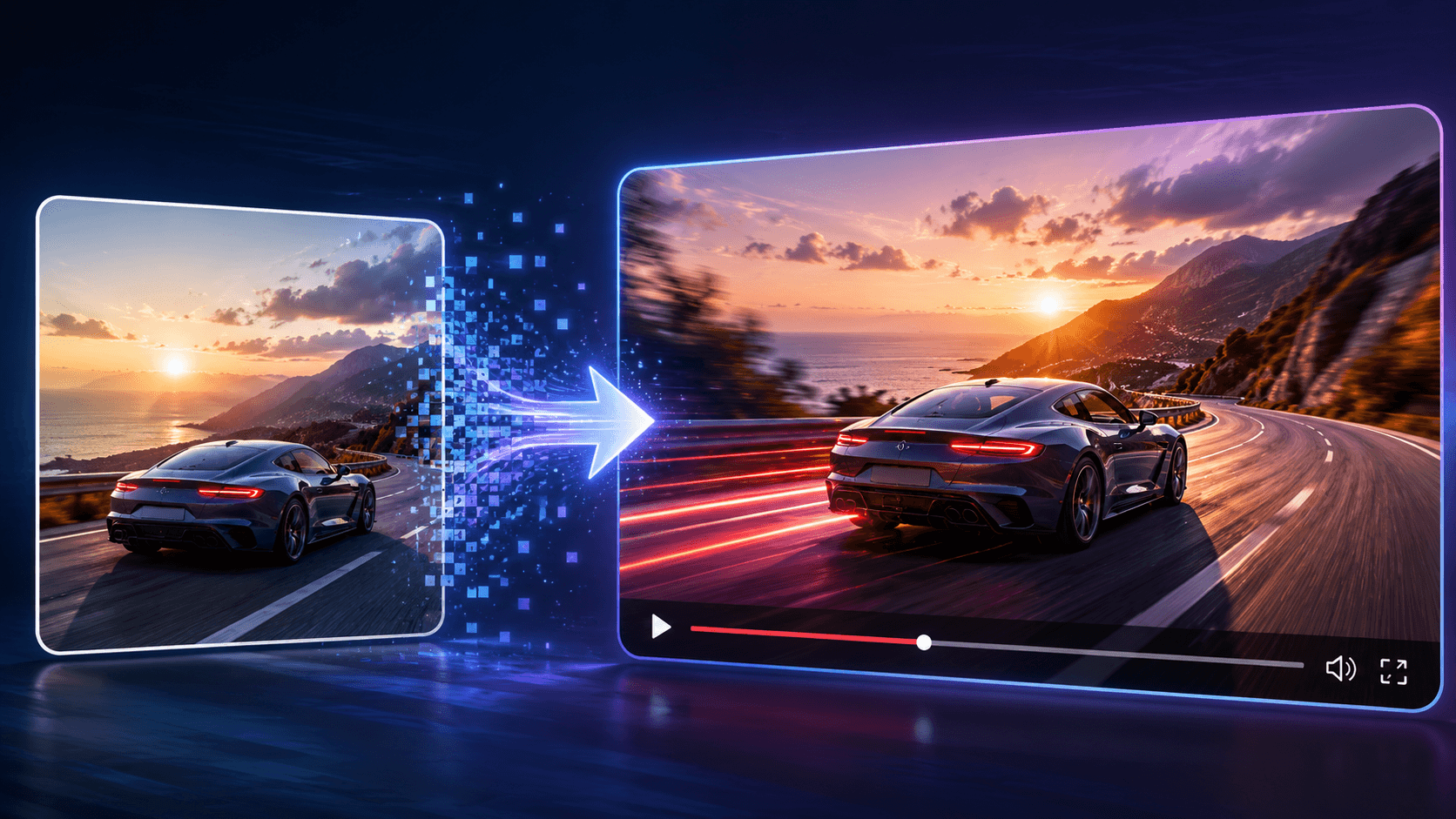
10 Best Image-to-Video APIs for Developers Building AI Video Features
Static images are quickly becoming the first step in modern video production. With the right tooling, a product photo can turn into a short ad, a marketing graphic can become a social-ready clip, and a character image can animate with lifelike motion—blinks, speech, and expressive action. Even ecommerce listings can shift from static visuals to short demo-style videos.
The key challenge is choosing the right API; not all APIs deliver the same outcome. Developers must decide what they need most: cinematic quality, rapid turnaround, product-photo fidelity, character animation strength, or multi-model flexibility from a single place. Certain tools work best with product photography, while others excel at character motion
Tokenware supports that decision by helping developers explore and compare models before selecting the best fit for their product. Since quality, cost, speed, and capabilities differ from provider to provider, choosing the right model is ultimately a product-level choice, not just an implementation detail.
What Developers Should Look for in an Image-to-Video API
The best image-to-video API is not always the one with the most impressive demo. Developers need to check how the API performs with real product inputs. Important things to compare include:
- Check motion quality: Choose an API that keeps movement smooth, natural, and stable.
- Test subject consistency: Make sure the product, face, object, or character stays recognizable across frames.
- Review prompt control: A good API should let developers guide motion, camera angle, style, speed, and scene direction.
- Compare output resolution: Use lower resolution for drafts and higher resolution for final product videos or ads.
- Check generation speed; Fast APIs work better for creator tools, previews, and user-facing apps.
- Look for async support: Video takes time to process. Choose APIs with job IDs, polling, or webhooks.
- Review pricing carefully: Check if pricing works per second, per credit, per request, or by subscription.
- Confirm commercial rights: Make sure generated videos can be used for ads, client work, ecommerce, or product content.
- Read the documentation; Good docs should explain endpoints, parameters, errors, file formats, and response structure.
- Test with your own images: Do not rely on demo outputs. Use real product photos, brand assets, or user images before choosing.
Video generation usually takes longer than text or image generation. A good API should support job status tracking, polling, and webhooks. This matters because developers often need to send a request, receive a job ID, and fetch the final video after processing
Quick Comparison Table
| API or model | Best for | Main strength | Watch out for |
|---|---|---|---|
| Runway Gen-4.5 | Cinematic clips | High visual quality | Higher cost |
| Veo 3.1 | Realistic product and creative videos | Prompt adherence and realism | Cloud setup and pricing |
| Kling AI | General animation | Strong motion quality | May need retries |
| Pika | Fast social clips | Quick iteration | Less cinematic realism |
| Luma | Product and lifestyle videos | Photorealism | Cost and generation time |
| MiniMax Hailuo | Creative motion | Detail retention | Motion control limits |
| Seedance | Short creative clips | Smooth motion | Access varies |
| Wan models | Prompt-guided animation | Model variety | Version differences |
| LTX Video | Fast previews | Low-latency testing | Short clip limits |
| Higgsfield DoP | Camera movement | Motion direction control | Not for every use case |
| VEED Fabric | Talking video | Image + audio animation | Specific use case |
| Replicate | Prototyping | Hosted model access | Production fit varies |
| fal.ai | Multi-model testing | SDK and model access | Model terms vary |
| Stable Video Diffusion | Open experimentation | Open model ecosystem | Needs tuning |
| OpenRouter Video Models | Unified video access | One gateway experience | Still evolving |
1. Runway Gen-4.5
 Runway is one of the strongest names in AI video generation. Its newer Gen-4 line focuses on visual consistency, subject control, and cinematic output. Also capable of using visual references with instructions to create images and videos with consistent subjects, styles, and locations. It also offers API access for developers building video features into products.
Runway Gen-4.5 is a good fit for teams that care about premium videos, campaign visuals, branded storytelling, or cinematic AI output
Runway is one of the strongest names in AI video generation. Its newer Gen-4 line focuses on visual consistency, subject control, and cinematic output. Also capable of using visual references with instructions to create images and videos with consistent subjects, styles, and locations. It also offers API access for developers building video features into products.
Runway Gen-4.5 is a good fit for teams that care about premium videos, campaign visuals, branded storytelling, or cinematic AI output
Best for:
- Cinematic
- video clips
- Premium ad creative
- Brand storytelling
- AI video platforms
- Creative production tools
Pros:
- Strong
- Visual quality
- Good subject and scene consistency
- Useful for polished creative output
- Strong fit for brand and media use cases
- Developer API available
Cons:
- It may cost more than lighter models
- Not always ideal for bulk low-cost generation
- Some outputs still need prompt testing
- Premium quality may come with slower processing
Tokenware can help teams compare premium video models like Runway against faster or lower-cost alternatives before committing to one video stack.
2. Google Veo 3.1

Google Veo 3.1 is built for high-fidelity video generation. Google’s Gemini API documentation shows Veo 3.1 supports text-to-video, image-to-video, and video-to-video. It can generate videos with native audio and supports image-based direction with reference images. This makes Veo useful for developers building high-quality video features where realism, audio, and image guidance matter. Google also positions Veo 3.1 as a model for filmmakers and storytellers. Veo is a strong option when quality matters more than quick experimentation. A platform like Tokenware can help developers compare Veo-style output with other video models based on task fit.
Best for:
- Realistic image-to-video generation
- Product visuals
- Marketing clips
- Story-driven video tools
- Multimodal creative products
Pros:
- Strong realism
- Supports image-to-video
- Native audio support
- Good for premium creative output
- Works within Google’s AI ecosystem
Cons:
- Requires Google platform setup
- Pricing and access can depend on cloud configuration
- Maybe too much for simple preview use cases
- Developers need to check regional availability and limits
3. Kling AI
 Kling AI is widely known for image-to-video generation because it handles motion well and supports a wide range of creative use cases. Kling’s developer documentation presents Kling as part of a creative productivity system with video generation and API platform support. Kling also highlights image-to-video generation and element stabilization. Kling is practical for developers who need image animation, short clips, creator tools, or social video features. Kling works well when your product needs motion that feels strong without using the most expensive model for every request.
Best for:
- Image animation
- Character motion
- Product clips
- Social content
- Creator apps
Pros:
- Strong general motion quality
- Good fit for social and creative outputs
- Useful for product photos and campaign visuals
- More accessible than some premium cinematic models
- Good option for quick tests
Cons:
- Some outputs may need retries
- Motion precision can vary
- Commercial terms should be checked
- Different Kling versions may behave differently
4. Pika
Pika is useful for fast creative testing, stylized image animation, and short social clips. It is often chosen by creators and teams that want quick results without a heavy production process. Pika works best when the goal is speed, idea testing, and social-first output rather than full cinematic realism. Pika is a good choice when users want fast motion from a still image and do not need every output to look like a commercial film.
Best for:
- Short-form video
- Creator tools
- Social content
- Quick visual drafts
- Image animation tests
Pros:
- Fast iteration
- Good for social formats
- Easy to test creative directions
- Useful for early product concepts
- Strong fit for creator-facing tools
Cons:
- May not match Runway or Veo for realism
- Some outputs can look stylized
- Fine motion control may be limited
- API access (https://www.tokenware.ai/docs/api-reference) and pricing should be checked before production use
5. Luma Ray and Dream Machine
 Luma is known for photorealistic video generation and image-to-video outputs. Its Ray model documentation covers JavaScript video generation, including resolution, duration, and generation status.
Luma is useful for product visuals, lifestyle videos, e-commerce clips, and short creative assets that need to look realistic. For e-commerce and ad tools, Luma-style models are useful because product images often need to be converted into lifestyle or demo-style videos.
Luma is known for photorealistic video generation and image-to-video outputs. Its Ray model documentation covers JavaScript video generation, including resolution, duration, and generation status.
Luma is useful for product visuals, lifestyle videos, e-commerce clips, and short creative assets that need to look realistic. For e-commerce and ad tools, Luma-style models are useful because product images often need to be converted into lifestyle or demo-style videos.
Best for:
- Product lifestyle videos
- Photorealistic clips
- E-commerce visuals
- Social ads
- Creative product tools
Pros:
- Strong photorealism
- Good for product and lifestyle scenes
- Useful for polished short clips
- Strong fit for e-commerce and advertising
- Good image reference handling
Cons:
- Processing speed can vary
- Some clips may need multiple generations
- Pricing should be reviewed for high-volume products
- Motion control may not fit every complex scene
6. MiniMax Hailuo
 MiniMax Hailuo is a strong option for expressive motion, cinematic effects, and creative short videos. In AI video discussions, it balances visual quality and motion.
Hailuo is useful when you need image-to-video output that keeps visual detail while adding movement. Hailuo can be a strong middle ground for teams that want better quality than basic animation without always using the highest-cost model.
MiniMax Hailuo is a strong option for expressive motion, cinematic effects, and creative short videos. In AI video discussions, it balances visual quality and motion.
Hailuo is useful when you need image-to-video output that keeps visual detail while adding movement. Hailuo can be a strong middle ground for teams that want better quality than basic animation without always using the highest-cost model.
Best for:
- Cinematic short clips
- Product demos
- AI art motion
- Social campaigns
- Creative video platforms
Pros:
- Strong detail preservation
- Good motion coherence
- Useful for cinematic effects
- Works well for creative testing
- Strong option for short video generation
Cons:
- Motion control may vary
- Some scenes need retries
- Pricing and access should be checked
- Not every product image will animate cleanly
7. ByteDance Seedance
 Seedance supports text-to-video and image-to-video generation, with a focus on smooth motion and cinematic output. ByteDance positions Seedance around video generation with strong visual quality and motion. Seedance is a good option for creative apps, short-form video products, campaign clips, and product motion. Seedance is worth considering if your product needs videos designed for modern social and campaign content.
Best for:
- AI video apps
- Short ad concepts
- Social clips
- Product motion
- Creative video generation
Pros:
- Strong motion potential
- Good for short-form content
- Useful for social video formats
- Strong creative model family
- Good fit for image-guided generation
Cons:
- Access may vary by platform
- Commercial terms should be checked
- Output consistency depends on the source image and the prompt
- May need testing across different use cases
8. Higgsfield DoP

Higgsfield DoP is designed for cinematic, camera-driven image-to-video creation. It focuses on controlling how motion happens in a scene, so you can produce more than simple “image animation.” With DoP-style motion control, you can direct the camera with moves like pan, tilt, zoom, and dolly, while also leveraging depth-aware motion for more natural transformations. Higgsfield DoP also supports lighting evolution, helping the generated sequence feel more like a shot from a film rather than a static image with added movement.
Because it’s built around directional camera motion and cinematic effects, Higgsfield DoP is a strong fit when you need controlled, film-like results, not just generic motion. Higgsfield DoP is a good choice when the movement style matters as much as the image quality.
Best for:
- Product reveals
- Cinematic camera movement
- Social video concepts
- Creator apps
- Motion-focused tools
Pros:
- Strong camera direction
- Useful for cinematic effects
- Good for product reveal clips
- More controlled than basic animation
- Useful for visually directed content
Cons:
- Specific use case
- Not always needed for simple image-to-video
- Prompt testing may be required
- API availability and pricing should be checked
9. OpenRouter Video Models
OpenRouter is best known for unified model access, giving developers a single gateway to route requests across multiple LLMs. It has since expanded that same idea to video, offering a centralized collection of video-generated models. With this setup, developers can access video models through one interface, take advantage of asynchronous API workflows, and compare model options before selecting what to use.
This matters because unified model access is becoming popular for teams that want to reduce integration overhead and manage multiple model types from one place. Tokenware fits into that same decision space by making it easier to browse and compare models, helping developers choose the right option not only for video, but across text, image, audio, and the infrastructure around their product.
Best for:
- Unified model access
- Multi-model testing
- Text and image prompt video generation
- AI platform builders
- Developers already using OpenRouter
Pros:
- Unified model gateway
- Useful for comparing models
- Async generation support
- Reduces separate provider setup
- Good for developer testing
Cons:
- Video model availability may change
- Pricing and capabilities need regular checks
- Video-specific controls can vary
10. Stable Video Diffusion

Stable Video Diffusion is one of the most recognized open model families for image-to-video testing. Its presence across platforms like Hugging Face also shows how fast open video models are growing. It is a good option for teams that want more flexibility, room to experiment, and the ability to test custom image-to-video pipelines before committing to a closed or premium model. Stable Video Diffusion works best for developers who want flexibility and are willing to test more deeply.
Best for:
- Open-source testing
- Research projects
- Developer prototypes
- Custom video pipelines
- Low-volume experiments
Pros:
- Open model ecosystem
- Useful for experimentation
- Strong learning value for developers
- Can run through hosted platforms
- Good for testing image-to-video concepts
Cons:
- Output quality can vary
- May need tuning
- Production readiness depends on hosting
- Commercial terms need review
How Tokenware Helps Teams Compare Image-to-Video Models
Image-to-video is not a one-model decision.
A product team may need a fast model for previews, a stronger model for product videos, another model for cinematic clips, and a different setup for talking videos or avatar-style content. That is why model choice matters.
Tokenware helps developers think about video generation as part of a wider AI API stack, not as a single standalone feature. The platform gives teams access to 200+ AI models through one unified API, with support across model categories such as text generation, image creation, and other AI tasks. This makes it easier for developers to test different model options without rebuilding every integration from scratch.
This matters for image-to-video products because AI video rarely works alone. An e-commerce platform may start by turning product photos into short motion clips. Later, the same platform may need product descriptions, image cleanup, ad copy, captions, voiceovers, and product video variations. A creator platform may begin with image-to-video, then add text-to-video, avatar videos, audio, and editing features.
Tokenware is built around this kind of expansion. Its homepage positions the platform as a complete system for accessing, managing, and scaling AI model usage. It also highlights smart routing, real-time usage analytics, API key management, streaming support, and OpenAI-compatible endpoints, which are useful for teams building AI features into real software products.
For developers, the benefit is practical. Instead of managing separate providers, different keys, scattered dashboards, and multiple billing paths, teams can work from a more unified API layer. Tokenware also supports pay-as-you-go pricing and model access across major providers such as OpenAI, Anthropic, Meta, Google, and others.
So when a team is choosing the best image-to-video API, the decision should go beyond output quality alone. Developers should also ask:
Can we test different models without rewriting our setup? Can we track usage, cost, latency, and errors clearly? Can we switch models when speed, cost, or quality changes? Can the same platform support future text, image, video, and audio needs? Can our team move from experiment to production without managing too many provider accounts?
Tokenware helps teams plan image-to-video as part of a broader AI product stack, so video generation can grow alongside the rest of the product instead of becoming another isolated integration.
FREQUENTLY ASKED QUESTIONS
Do image-to-video APIs use async generation?
Yes, many video APIs use async generation because video takes longer to process than text or images. The API often returns a job ID first, then your app checks the status or receives the final video through a webhook.
How much does an image-to-video API cost?
Pricing varies. Some providers charge by video duration, some use credits, and others use subscription plans. Cost usually depends on model quality, resolution, duration, speed, and volume
Can I use free image-to-video APIs for commercial projects?
Free tiers are usually better for testing. Before using outputs commercially, check watermark rules, licensing terms, usage limits, and commercial rights.
How can developers reduce image-to-video API costs?
Use shorter clips, lower resolution for previews, cache approved outputs, reserve premium models for final videos, and test cheaper models for drafts.
How does Tokenware help with AI image model access?
Tokenware helps developers access multiple AI models through one unified API layer. It lets teams browse models, compare pricing, use OpenAI-compatible endpoints, and monitor usage, cost, latency, and errors.
Should developers use one image model or multiple models?
Use multiple models if your product has different image tasks. A product may use one model for previews, another for final visuals, another for editing, and another for typography-heavy assets.
What should developers test before launching an AI image feature?
Developers should test prompt accuracy, output quality, latency, cost, error handling, content safety, commercial rights, image formats, and how the model handles unclear user prompts.
Are open image models better than closed models?
Open models give developers more control, customization, and hosting flexibility. Closed models often give easier access, managed infrastructure, and strong output quality with less setup. The better choice depends on cost, privacy, control, and product speed.
Which AI image model is best for text inside images?
Ideogram, Recraft, Imagen 4, and GPT Image models are worth testing for typography. Developers should test real text-heavy prompts because output quality changes based on layout, copy length, and design complexity.
What is the difference between text-to-image and image editing?
Text-to-image creates a new image from a prompt. Image editing changes an existing image using a prompt, mask, reference image, or visual context. Many products need both.